Still using the classic admin? Click here to learn where you can find the email analytics.
Whenever you email your registrants, you'll want to know how well those email perform. Analytics are available for each email campaign (reminders, registration confirmations, surveys, etc.) and are updated in real-time with who opened, clicked, and bounced your email.
What analytics are available for my emails?
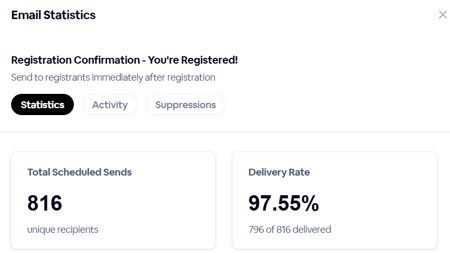
In the session admin, configure any of your emails and you'll be presented with some basic stats about that email.


The email analytics captures activity for every email sent. You can view percentages of overall activity, such as how many recipients it was sent to, delivery rates, bounce rates and more.
In addition to overall percentages, you can view detailed logs of both email activity. When viewing email details, click on the Sent tab to see those logs
Session-wide analytics
Along with individual email reports, you can quickly view how all of your emails are performing. Visit Analytics > Email do view the percentages for each email.

Downloading your email reports
Download an all-encompassing report for each email campaign, which includes a full detailed view of each campaign’s analytics. This will give you a view of the recipient’s email address, email subject, activity, and time stamp for every notification, reminder, confirmation and survey email sent.
For individual email reports, click on the Actions button in the email details then Export CSV.

For a report that includes all of your emails, go to Analytics > Emails then click Download Full Report.
If you are sending email through your own provider as part of whitelabeling, then you will not be able to see these statistics on BigMarker.
Email statistics in the classic admin
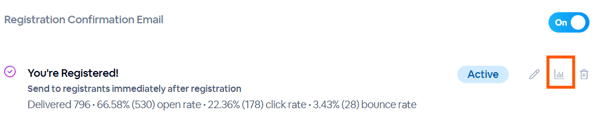
Head over to the Emails & Invitations page for any session or series, then click the reporting icon within any given email. Once you do so you will see a side sheet open that has all of the details for that email, as well as the ability to download the report.