Whether it's time zone differences or live show jitters, presenting live can be difficult. Now with the Recording Studio, presenters will be able to record their presentations ahead of time, and webinar admins can take their recordings to use in the live webinar.

Note: This feature uses the Recording Studio and is only available for enterprise and event channels. If interested, please contact your BigMarker point of contact or sales@bigmarker.com
Enabling your presenters
First you'll need to enable this option for individual presenters. Go to the session admin and then to the Presenters section. Edit one of your presenters and then go to the Advanced settings then enable Allow this presenter to record their own content.
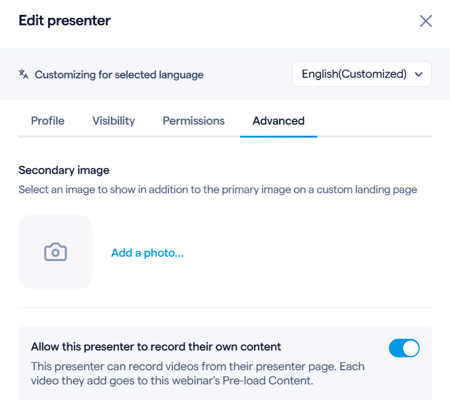
Once you do so, a new option will be available on the presenter check in page. Instead of entering a live session, they can initialize the recording studio and get started.
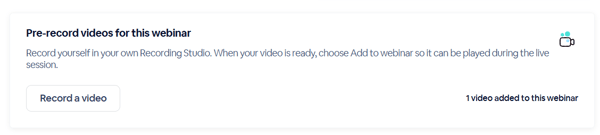
Recording in the studio
The Recording Studio gives presenters access to the same settings as the live session studio. They can use their microphone and camera, share videos, screens, and presentations, and customize the stream’s layout and design.
Presenters can record and edit clips at their own pace. The studio is available for the same duration configured for the live session.
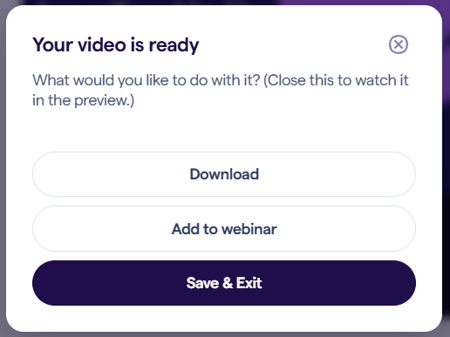
After recording, presenters need to open the Editor to edit their clips and export the finished video. They can then download the video or add it to the session for admins to use.
Using the recorded videos
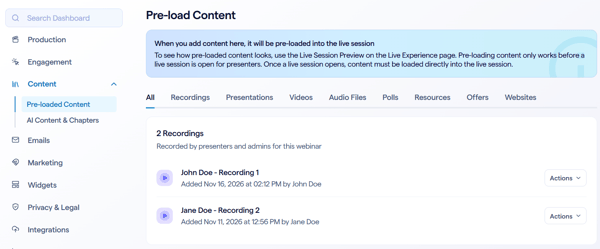
Once presenters add their videos to your sessions, it will be available in the pre-loaded content section under a new Recordings category. Videos here can be used in a number of different ways:
- Manually play these recordings as part of the live session
- Schedule them to play as part of automation
- Use the videos in the Recording Studio to make a longer video
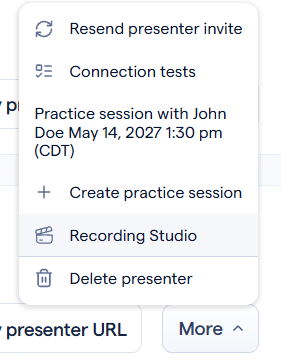
Additionally, if you want to view any of your presenters' clips as they saw them inside of the personal Recording Studio, go to the Presenters page in the Session Admin, then click More to go to their studio and see their clips.