Note: This feature is available to Enterprise and Events Package plan holders. If interested, please contact our Events Experts at sales@bigmarker.com
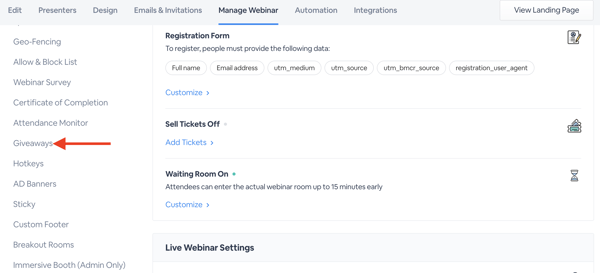
Still using the classic admin? Click here to learn where you can find the Giveaways.
Give your audience a chance to earn prizes at your event with Giveaways. Keep them engaged throughout your event with an incentivized prize that can be won at the end of the event. This way, attendees will be motivated to participate, engage, or provide more information in order to qualify for the prize. Set your giveaways to be available to a pool of attendees, or have it be a free for all where anyone can win! Either way, using giveaways can bump up engagement rates and stir up excitement throughout the event.
How to Set Up a Giveaway
Note: Giveaways only work in Studio mode.
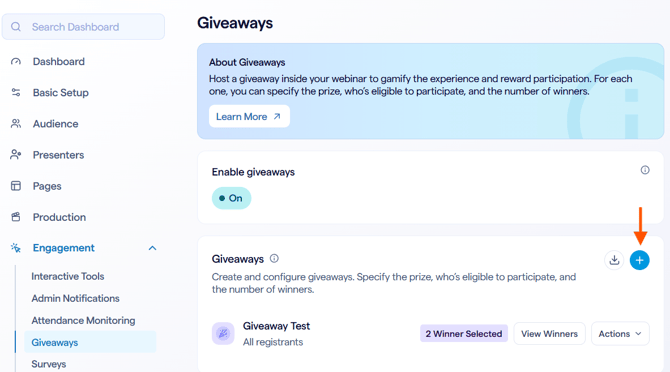
In the Setup tab you'll add:
-
- Title
- Description
- Image and other display settings
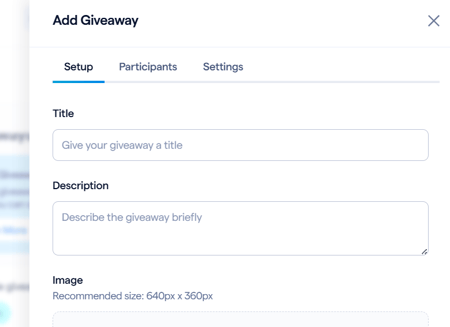
Next are the Participant settings which determine who is eligible for the giveaway.
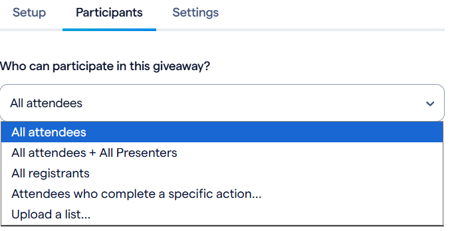
-
- All attendees: All attendees can participate
- All registrants: All registrants can participate
- All attendees + All presenters: All attendees and presenters can participate
- Attendees who complete a specific action: Select the action needed to complete in order to participate, such as “fill out a survey”
- Upload list: Upload a CSV or SVG file of all registrants that are able to participate
After setting some display settings for how winners are displayed and if you have a disclaimer, create the giveaway and you're all set.
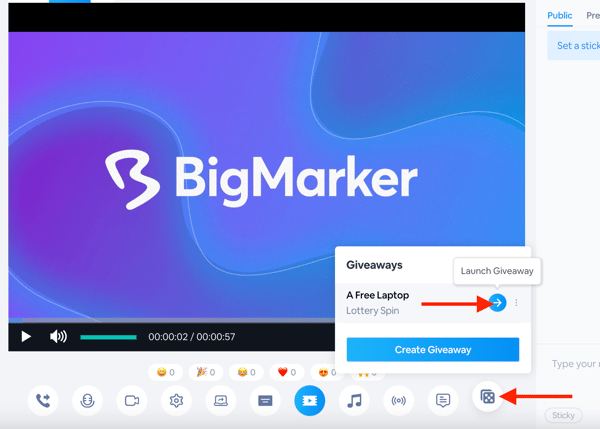
Inside the studio, this will show as the Lucky Draw button in the engagement dock. Click on that, then click Launch Giveaway to start the giveaway. You can also create a giveaway during the live event by clicking Create Giveaway. This populates a window to enter in all the settings for your event’s ideal giveaway.
Check out the video below to see the giveaways in live action:
View analytics on who won giveaways during your event with the Giveaways downloadable report. Back in the Giveaways section, click the Download icon to receive a CSV file with analytics on the name, email address, prize name, prize description, time and date, and any custom registration fields values inputted.
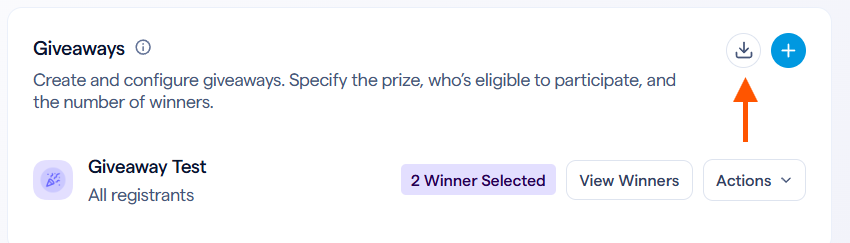
View these analytics on the fly by clicking View Winners to display a pop-out window that shows similar data in a digestible report.
Giveaways in classic admin
To find Giveaways in the new classic admin go to Giveaways in the manage dashboard.