Using the new Session Admin? Click here to learn you can find the dial-in settings.
BigMarker provides two ways to use Dial-in :
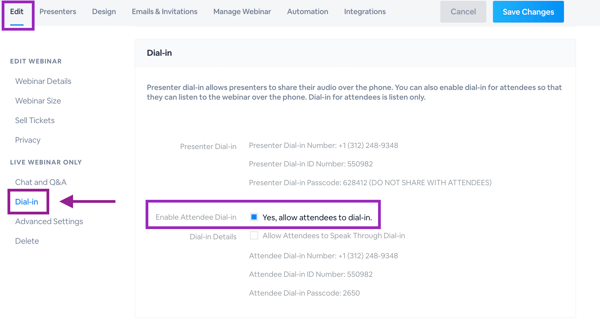
- Dial-in for attendees: This option is defaulted to listen only and available only if enabled by host. This number is available to attendees after registration. You can allow attendees to speak through dial-in by enabling this in your webinar's settings (pictured above).
-
Dial-in for presenters: This option allows attendees to both talk and listen, and is recommended for those who have slow internet connections or poor audio on their computers.
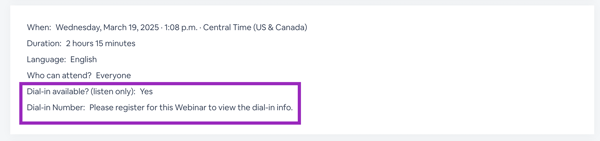
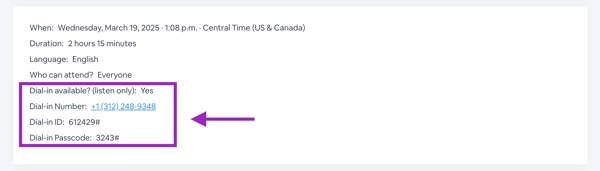
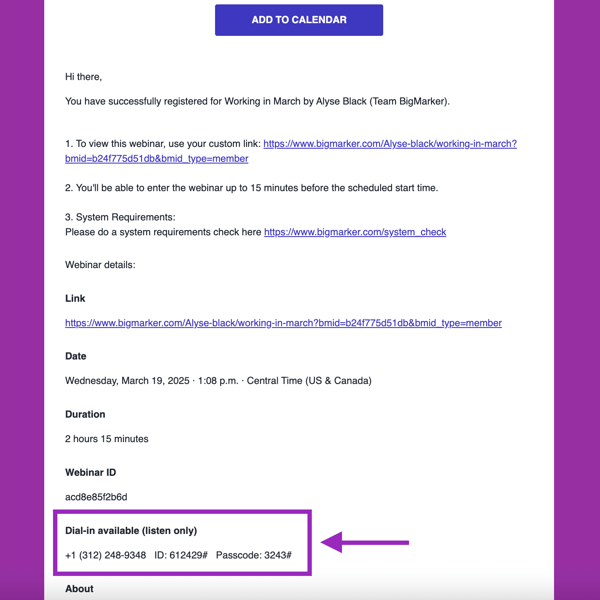
Dial-in numbers and codes for attendees can be found on the webinar landing page, the registration confirmation page, and in the body of reminder emails. These numbers are only available if the host has enabled this option and the person is registered for the webinar.
By default, attendees will not be able to dial in. You'll first need to enable this setting on your session. Within Production>Dial-in you'll be able to turn this setting on.

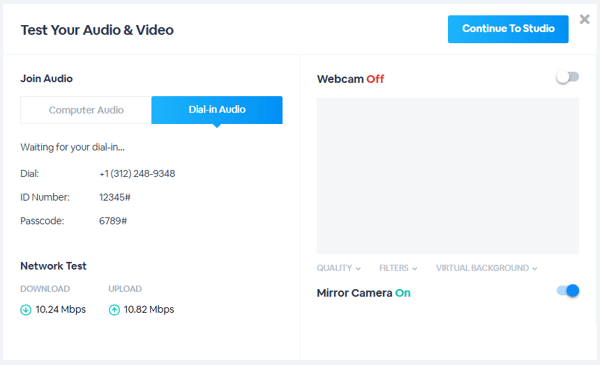
Dial-in numbers and codes for presenters can be found within the presenter check-in page. Presenter dial-in is always enabled and available for all sessions.
Click on Show dial in information to view the info for the webinar:
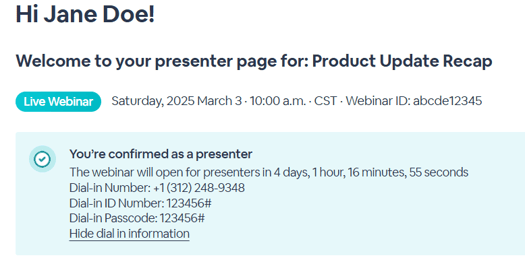
Important: Dial-in information for a presenter contains a passcode that is unique to each presenter. This ensures that you will be able to know which presenter is dialing in. Because of this, presenters should not share presenter dial-in information with other people.
Webinar Page before registering:
Webinar Page after registering:
Confirmation Email:
Dial-in for Presenters will also be available from inside of the webinar room. Within the audio/video settings, there is a section for dial-in that will provide the unique information for that presenter:
BigMarker only offers dial-in phone numbers in the United States and other regions within the "+1" country area code. Calling charges may apply.
Dial-in settings in the classic admin
In order to find the dial in settings for attendees go to the Dial-in settings in the Edit Tab