
Answer engine optimization (AEO) helps you guide how AI search and answer engines understand and represent your BigMarker sessions. When someone searches for your content or the topics you cover, accurate source information helps these engines provide relevant answers without filling in missing details.
With BigMarker’s AEO capabilities, you can manage the information you provide about your sessions, helping answer engines reflect your content more accurately.
AEO on BigMarker is currently only available for on-demand sessions within an Enterprise or Events channel with access to the content studio.
What is AEO?
Answer Engine Optimization (AEO) ensures your event pages are easily read and understood by AI search engines. Instead of just ranking links, modern answer engines generate direct responses to user questions. Configuring your AEO metadata allows you to supply these AI models with specific, structured information about your event—ensuring they accurately represent your content and surface it when potential attendees ask relevant questions.
Configuring AEO on BigMarker
In order to set up AEO you will first need a few things:
- An on-demand session
- Make sure that session is set to public
- Generate content in the Content Studio
Once you have everything set, head over to Marketing > AEO to get started.
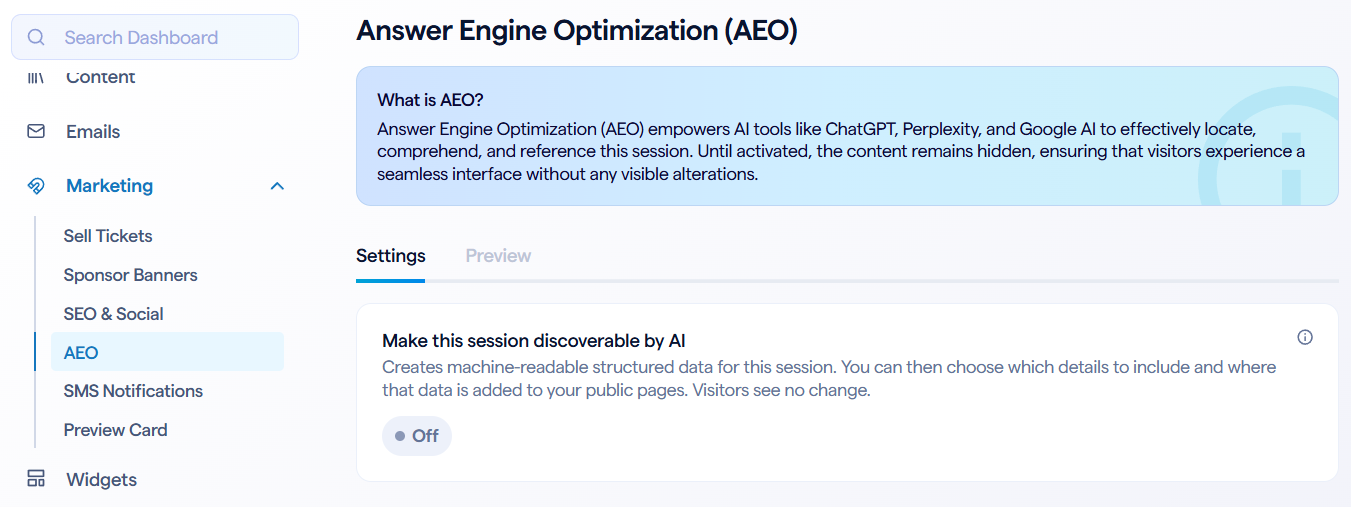
Once enabled, you'll have a few more settings to configure:
- Automatically insert structured data - When enabled, the metadata generated by BigMarker is inserted automatically to the landing page. For more advanced users, you can turn this off if you want to make edits and insert the data yourself
- Data to include - Here is where you decide what additional content is included in the metadata. You can insert the chapters and full transcript from the Content Studio, or you can generate new content with the Key Takeaways and FAQs
Some basic information will always be included in the AEO data, including the session title, channel name, description and URL.
Key Takeaways and FAQs
Adding Key Takeaways and FAQs to your metadata is the most effective way to control how AI summarizes your session. Answer engines are designed to surface quick, factual responses. By supplying clear takeaways, you highlight the core value of your event in a format the AI can easily parse. Adding FAQs takes this a step further by providing ready-made answers to common questions, ensuring the AI represents your content accurately and prominently.
In the AEO settings, Key Takeaways and FAQs are first generated by AI from your on-demand transcript. Once generated, you'll have the option to manually edit, delete, or add new items for either category.

Preview the metadata
Once you're happy with the AEO configuration, you can click Preview to see exactly what data is being added to the site. What you see here is a JSON-LD file that BigMarker generates based on the settings and content configured in the previous steps.
While this preview automatically syncs with what you update, you may need to click Refresh if you are making frequent edits and want to preview them right away. You can also click Copy to copy the entire contents of this file if you wish to edit and host this file elsewhere.
